Best Room Temperature and Lighting for Maximum Productivity
Environmental conditions inside an office play a subtle but powerful role in determining cognitive capacity, error rates, and overall operational speed. While professionals frequently focus on physical furniture configurations, the ambient climate and visual spectrum of a workspace form the invisible baseline of daily human performance. When a room is poorly lit or set to an improper thermal level, the human body actively expends metabolic energy trying to cool down, warm up, or squint through glare, leaving fewer cognitive resources available for deep analytical processing.
Establishing control over these ambient inputs is foundational to preventing fatigue and maintaining high attention to detail over extended shifts. Finding the perfect balance between thermal dynamics and light wavelengths is essential for creating an optimized work environment. This comprehensive guide outlines the scientific metrics required to find the best room temperature and lighting for maximum productivity, compares primary control methodologies, analyzes task-specific applications, and provides a structured framework for long-term ambient management.
Overview of Best Room Temperature and Lighting for Maximum Productivity
When investigating the best room temperature and lighting for maximum productivity, the core focus centers on human homeostasis and endocrine synchronization. Biomechanically, the human brain functions best within narrow environmental boundaries. According to comprehensive occupational safety studies, the optimal temperature range for complex cognitive tasks falls between 68°F and 72°F (20°C to 22°C). Dropping below this range triggers subtle shivering and muscle tension, which can distract from focused tasks, while exceeding 74°F (23.3°C) increases subjective sleepiness and lowers data-processing speeds due to minor heat fatigue.
[65°F / 18.3°C] ---- Shivering / Cognitive Distraction
[68°F - 72°F]   ---- OPTIMAL COGNITIVE ZONE
[74°F / 23.3°C] ---- Heat Fatigue / Increased Error Rates
Lighting works closely with temperature by guiding the body’s endocrine system via the circadian rhythm. The human eye contains specialized photosensitive cells that detect blue light wavelengths, signaling the brain to suppress melatonin production and increase cortisol, which heightens alertness. For high-focus daytime tasks, the ideal layout requires an illumination level of 300 to 500 lux paired with a cool daylight color temperature of 4000K to 5500K (Kelvin). The primary goal of coordinating these dual inputs is to eliminate environmental stressors, ensuring workers maintain high focus, lower eye fatigue, and experience fewer focus drops over the day.
Core Categories of Ambient Control Systems
Optimizing an indoor environment requires choosing the right control methodologies, which can range from centralized building automation to localized personalized systems.
Environmental Modality Comparison
| Category / Type | Description | Common Use Case | Time / Cost / Effort Level |
| Dynamic Circadian Lighting | Automated LED systems that shift from cool blue-white light in the morning to warm amber light in the evening. | Permanent home offices or corporate facilities looking to reduce afternoon slumps. | High upfront hardware cost; automated time investment; low daily effort. |
| Microclimate Zoning | Utilizing decentralized heating and cooling elements to regulate a precise workspace perimeter. | Open-plan commercial environments or spaces shared by users with different temperature preferences. | Moderate to high cost; quick implementation; low daily effort. |
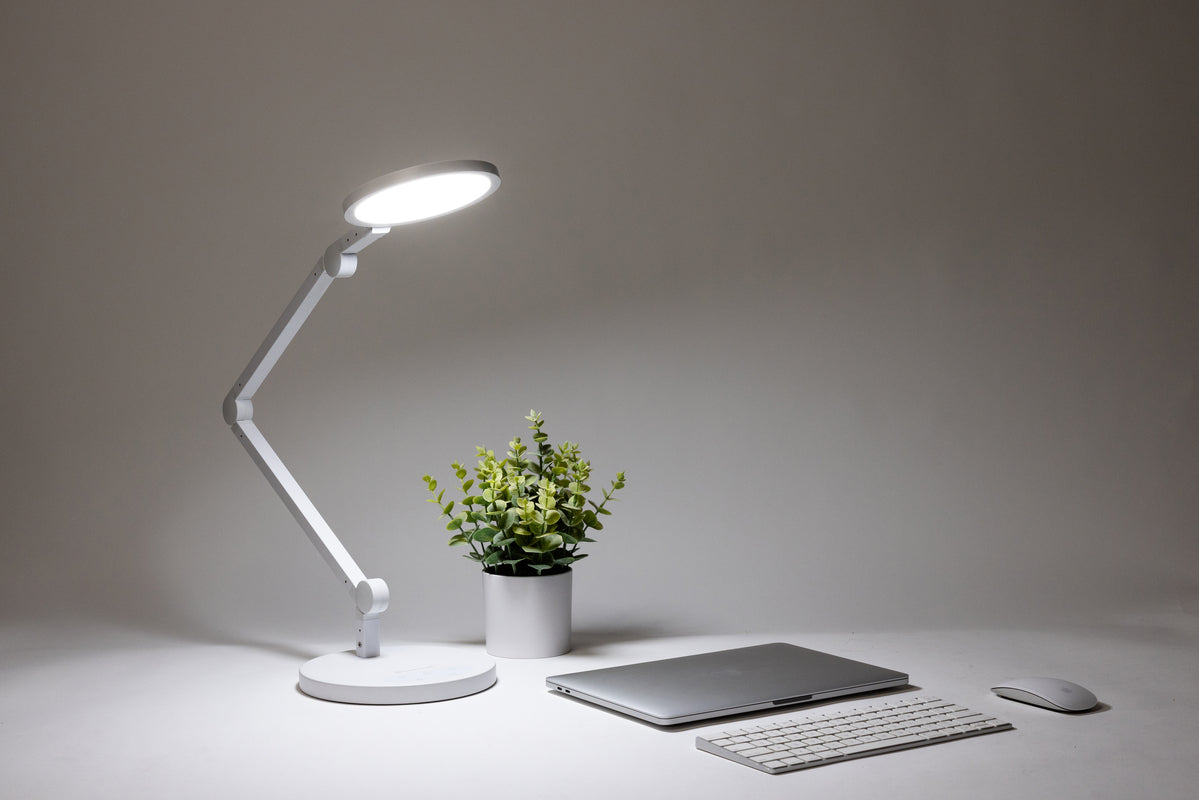
| Task-Specific Spot Illumination | Adding dedicated, adjustable desk lamps to boost local light intensity without altering room fixtures. | Detailed design desks or workspaces lacking access to natural window daylight. | Budget-friendly; immediate installation; minimal ongoing effort. |
| Biophilic Daylight Integration | Using architectural elements like mirrors and automated blinds to maximize natural sunlight. | Workspaces looking to reduce energy usage while improving alertness. | Variable cost based on building layout; requires daily manual adjustments. |
Selecting the ideal category depends on how much control you have over your physical space. If you work in a corporate office with a locked central thermostat, your best approach is to focus on task-specific spot illumination and micro-climate zoning tools (like localized desk fans or personal heating panels). If you are building out a dedicated remote home office from scratch, investing in dynamic circadian lighting and centralized climate scheduling provides the most comprehensive, long-term performance benefits.
Practical Scenarios and Task-Based Applications
The ideal settings for lighting and temperature can change depending on the cognitive demands of your specific tasks. Below are three common workplace applications.
Scenario 1: Quantitative Analysis and Technical Auditing
This scenario involves high-focus, low-mobility data work where accuracy and long-term concentration are critical to avoiding expensive calculation errors.
-
Actionable Layout Steps:
-
Set the room thermostat to a crisp 69°F (20.5°C) to maintain physical alertness.
-
Adjust overhead and desk lighting to a cool 5000K color temperature.
-
Dial the light intensity up to 500 lux across the keyboard and screen workspace to maximize text contrast.
-
-
Why Relevant: Cooler ambient temperatures and high-frequency blue-white light stimulate the central nervous system, helping to prevent errors and sustain concentration during dense analytical processing.
Scenario 2: Creative Strategy and Collaborative Ideation
This scenario covers workshops, brainstorming sessions, and project planning phases where open communication, abstract thought, and long-term group comfort are required.
-
Actionable Layout Steps:
-
Adjust the ambient temperature slightly upward to a comfortable 72°F (22.2°C).
-
Shift the lighting array down to a warm-white 3000K to 3500K spectrum.
-
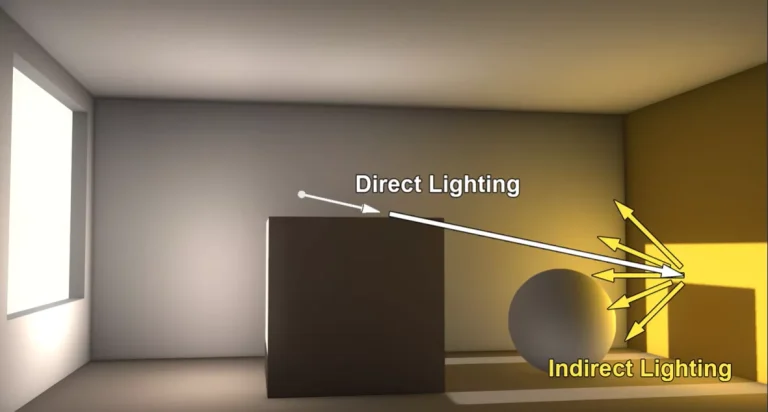
Position lights to bounce off walls or ceilings (indirect lighting) to eliminate sharp shadows over collaboration zones.
-
-
Why Relevant: Warmer temperatures combined with softer, lower-frequency lighting reduce physical tension and lower social anxiety, creating an environment that supports open creative risk-taking and collaborative discussion.
Scenario 3: The Late-Shift Residential Workspace
This scenario applies to individual professionals or remote employees who must work late into the evening without disrupting their body’s natural sleep cycle.
-
Actionable Layout Steps:
-
Drop the room temperature down to 68°F (20°C) to counteract evening grogginess.
-
Program display monitors and desk light bars to transition to a warm amber 2700K profile.
-
Turn off any unshielded overhead fluorescent lights, relying instead on low-mounted desk lamps that project light downward.
-
-
Why Relevant: Transitioning to a warmer color palette in the evening protects your circadian rhythm by allowing natural melatonin production, ensuring you can fall asleep quickly once your work block finishes.
Contextual Comparison
These scenarios show that environmental requirements shift alongside your task profile. Scenario 1 leverages cold temperatures and high-frequency wavelengths to drive data accuracy. Scenario 2 uses warmer air and softer lighting to foster a relaxed, creative mindset. Scenario 3 focuses on health preservation, using low-frequency light profiles to maintain evening performance without harming sleep patterns.
Planning, Resource, and Budget Considerations
Properly calibrating the best room temperature and lighting for maximum productivity requires a well-planned budget. Buying arbitrary desk fans or trendy lamps without tracking your room’s baseline metrics can result in a workspace that remains uncomfortable. Investing in accurate measurement tools first ensures you allocate funds toward the areas that will provide the greatest comfort.
Ambient Calibration Cost Framework
| Category | Estimated Amount / Effort | Explanation | Optimization Tips |
| Diagnostic Instruments | $25 – $60 / Low Effort | Digital hygrometers and lux meters to track real-world baseline workspace conditions. | A simple smartphone light meter app can serve as a temporary lux gauge at zero cost. |
| Smart Climate Controllers | $120 – $250 / Moderate Effort | Smart thermostats that schedule temperature drops to match high-focus morning work hours. | Program the system to pre-cool the workspace 30 minutes before your shift starts to save energy. |
| Tunable LED Luminaires | $40 – $120 / Low Effort | Programmable LED bulbs or desk bars that shift color temperature dynamically. | Prioritize bulbs that feature a high Color Rendering Index (CRI of 90+) to ensure text looks sharp. |
| Air Circulation Modulators | $30 – $75 / Low Effort | Multi-speed oscillating desk fans or under-desk carbon heating panels. | Placing a small fan next to your workspace keeps air moving, which lowers the perceived room temperature without needing to adjust the main AC. |
Note: The price projections and equipment upgrades detailed above are illustrative market examples for the year 2026 and may change based on your local utility rates, selected brands, and the size of your room.
Technological Systems and Support Options
Several specialized tools and design choices can help you maintain an ideal working environment throughout the day.
1. Smart Programmable Thermostats
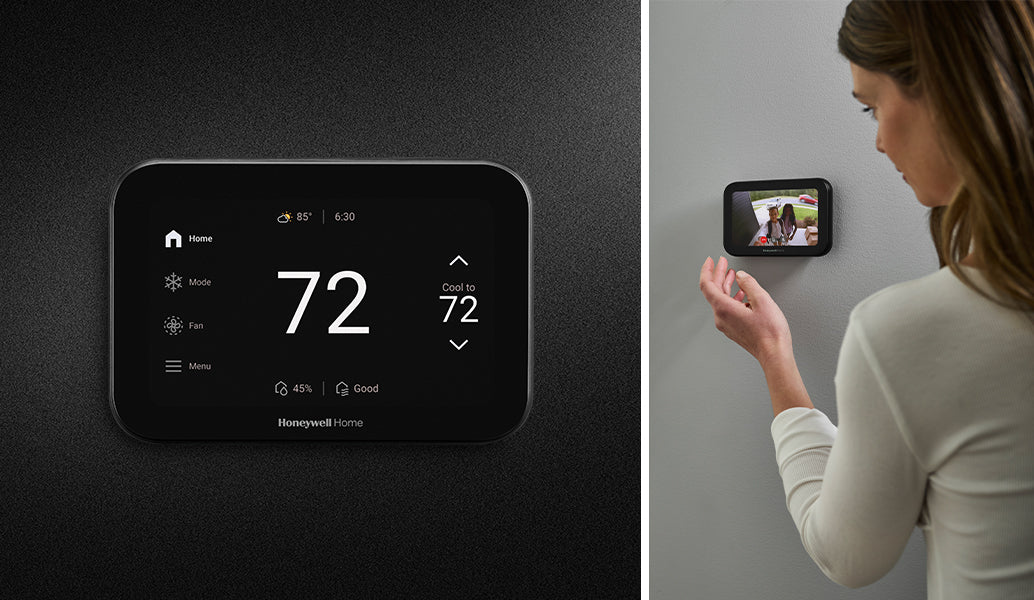
Central control hubs that let you automate temperature changes based on your work calendar.
-
Advantages: Automatically switches between work and rest temperatures; lowers heating and cooling costs when the room is empty.
-
Disadvantages: Requires custom wiring or compatibility with your existing HVAC system.
2. Asymmetric LED Monitor Light Bars

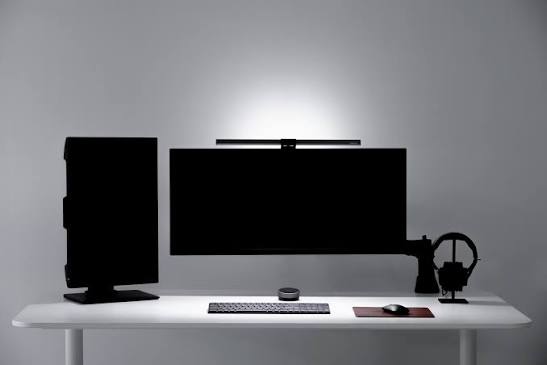
Light fixtures that clip directly onto your monitor bezel, casting light straight down onto your desk without reflecting off the screen surface.
-
Advantages: Prevents glare on glossy screens; creates a clean, bright workspace; helps eliminate eye strain.
-
Disadvantages: Can block built-in webcams; requires an open USB port for power.
3. Smart Tunable LED Bulbs
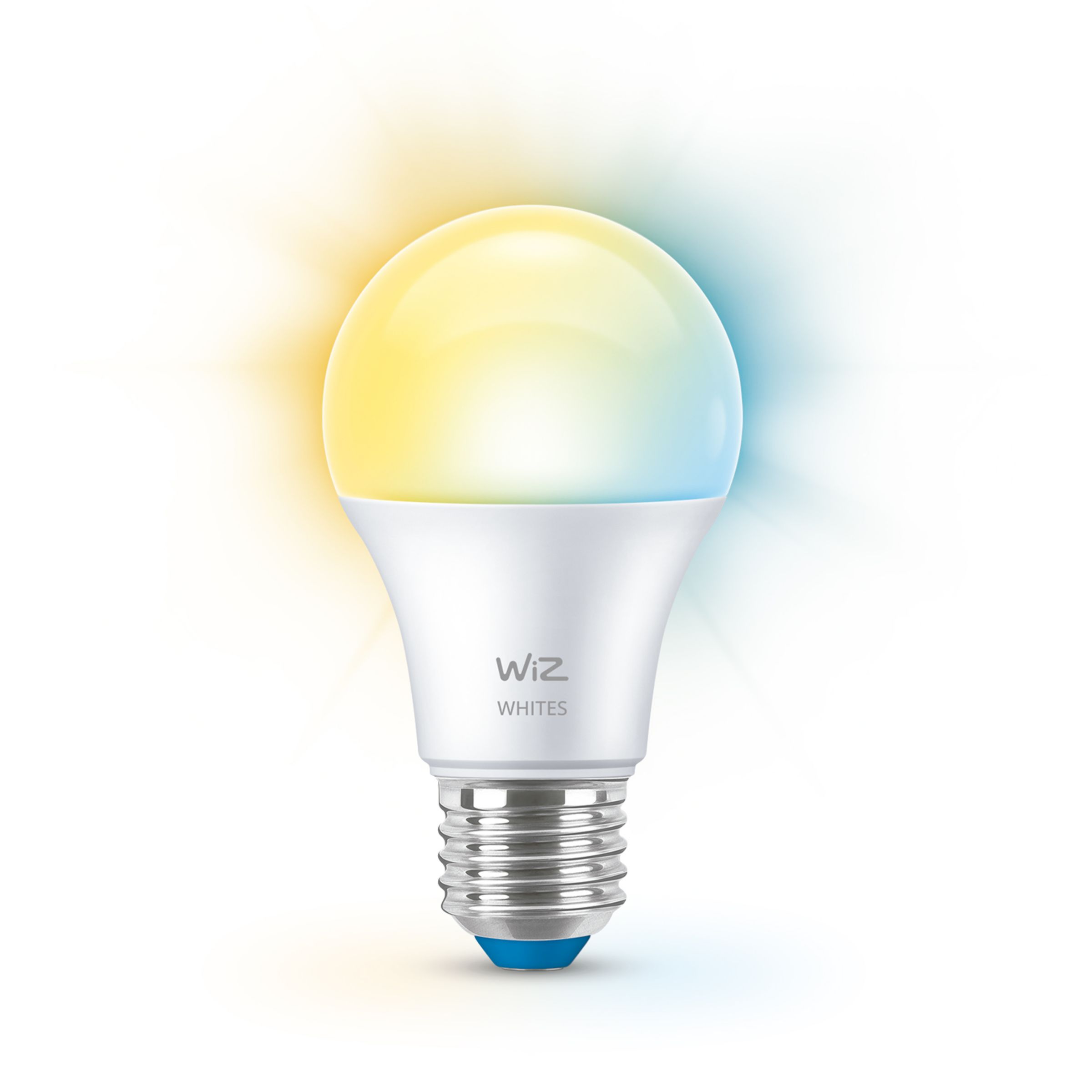
Wi-Fi or Bluetooth-enabled light bulbs capable of shifting across a wide spectrum of color temperatures and brightness levels.
-
Advantages: Lets you instantly change your room’s mood from crisp daylight to warm amber with a simple app toggle.
-
Disadvantages: Cheaper models can sometimes emit a subtle, high-frequency flicker that causes eye strain over long shifts.
4. Low-Intensity Convection Space Heaters
Small, radiant heating panels designed to fit under a desk to keep your legs and feet warm.
-
Advantages: Safe to use in small spaces; completely silent; allows you to stay warm without overheating the rest of the room.
-
Disadvantages: Consumes extra electricity; requires a dedicated wall outlet to avoid overloading power strips.
Common Environmental Risks and Pitfalls
When setting up your workplace climate and lighting, it is easy to make subtle mistakes that can lead to eye strain, fatigue, or a drop in concentration.
-
Over-Cooling to Force Alertness: Some professionals drop their workspace temperature below 65°F (18.3°C) in an effort to fight off afternoon drowsiness. This backfires as the body diverts blood flow away from the brain to keep your core warm, which actually lowers processing speed and causes stiff muscles. Mitigation: Keep the room temperature at a baseline of 68°F–70°F and use brief walking breaks to boost your energy naturally.
-
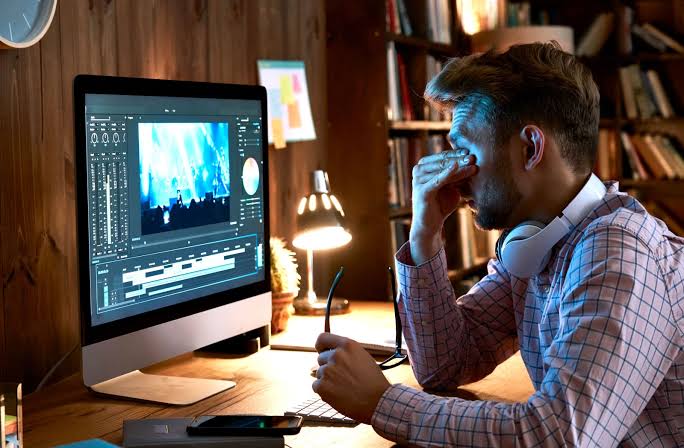
Facing a High-Contrast Unshaded Window: Sitting directly opposite a bright window creates severe contrast issues, forcing your eyes to constantly adjust between a dark monitor screen and blinding sunlight. Mitigation: Position your desk configuration perpendicular to windows, and use sheer curtains to soften harsh daylight.
-
Mixing Mismatched Color Temperatures: Using a warm 2700K yellow desk lamp alongside a harsh 6000K blue overhead fluorescent light creates a confusing visual mix that causes rapid eye fatigue and headaches. Mitigation: Standardize all light sources within your immediate view to the same color temperature during any single task block.
-
Relying on Stagnant, Unventilated Air: Keeping a room completely sealed without any airflow causes carbon dioxide ($CO_2$) to build up over the day. High $CO_2$ levels lower cognitive function and cause brain fog, even if the temperature is set perfectly. Mitigation: Crack a window open slightly or use a low-speed desk fan to keep fresh air circulating through the space.
Long-Term Maintenance and System Calibration
Maintaining an ideal work environment requires regular checkups, as changing outdoor seasons and aging equipment can slowly pull your space out of alignment.
Ongoing Ambient Maintenance Checklist
-
Monthly HVAC Filter Inspections: Clean or replace your air filters regularly; clogged filters reduce airflow and make it harder to control room temperatures accurately.
-
Seasonal Temperature Tweaks: As the outdoor weather changes between summer and winter, adjust your thermostat scheduling to help your body adapt smoothly to the changing seasons.
-
Bi-Monthy Lux Level Verification: Use a light meter app to confirm your light fixtures are still outputting their original brightness, as LED components can slowly dim over years of continuous use.
-
Window Seal Checkups: Check the weatherstripping around office windows every winter to prevent cold drafts from creating uncomfortable cold zones across your desk.
Tracking and Documenting Ambient Progress
Because human comfort changes slowly over a shift, keeping a brief written record of your office environment helps you connect physical patterns—like an afternoon headache or drop in energy—to specific temperature or lighting issues.
Tips for Recording Environmental Logs
Keep a basic text file or small notebook on your desk. Twice a day (ideally once at 10:00 AM and again at 3:00 PM), note down the room temperature, the type of lighting you are using, and your current self-reported focus and energy levels.
Illustrative Environmental Records
-
Example 1 (Unoptimized Workspace Log): “October 12: Working with the office thermostat set to 75°F (23.8°C). Using a single overhead yellow light bulb. By 2:30 PM, felt heavily drowsy and struggled to focus on data spreadsheet analysis. Drank extra caffeine to compensate for room heat fatigue.”
-
Example 2 (Post-Calibration Progress Log): “November 4: Lowered the room thermostat to 70°F (21.1°C) and installed a 5000K cool-white LED desk lamp. At 3:00 PM, recorded excellent physical alertness and clean concentration. Completed the auditing project 45 minutes ahead of schedule with zero eye strain.”
Frequently Asked Questions (FAQ)
1. What is the single best color temperature for an office with no natural windows?
In a completely enclosed office with no natural light, a neutral 4000K (Kelvin) cool-white light is the best baseline option. It delivers enough high-frequency blue light to keep you alert and focused during daytime work hours without looking overly harsh or clinical.
2. How does high room humidity affect workplace productivity?
High humidity makes a room feel noticeably warmer than it actually is because it slows down the evaporation of sweat from your skin. Even if your thermostat is set to an ideal 70°F, a relative humidity level above 60% can lead to a sticky, sluggish environment that causes early fatigue. Aim to keep indoor humidity levels balanced between 30% and 50%.
3. Is natural daylight always better than high-end LED office lighting?
Yes, natural daylight is considered the gold standard for office health and alertness. Sunlight provides a perfectly balanced, full spectrum of light that artificial LEDs cannot completely replicate, which naturally supports your circadian rhythm. However, daylight must be managed correctly using blinds or angles to avoid creating glare or harsh shadows on your computer monitor.
Closing Summary
In conclusion, establishing the best room temperature and lighting for maximum productivity is an objective process that relies on matching environmental metrics to human biology. Keeping your workspace temperature set to a crisp 68°F–72°F prevents physical distractions from cold or heat fatigue, while matching your lighting’s color temperature and lux levels to the demands of your tasks maximizes alertness and cuts down on eye strain. Consistently managing these ambient inputs is one of the most reliable ways to maintain long-term physical comfort, energy, and professional output throughout the day.